Universal TV Remote Control
Wallet Passes AllianceHouse & Home
3.712.00 Reviews
- Version
- 2.1.0
- Installs
- 100.00K
- Age Rating
- Everyone
Screenshots
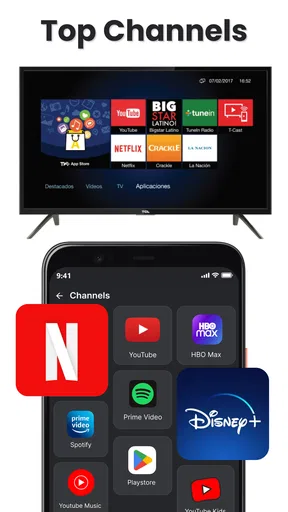
Our Review of Universal TV Remote Control
 Analysis by Appyee
I tend to judge a TV remote app by a less glamorous question than how many buttons it offers: what does it ask me to connect, and how much control do I retain? Fire Remote TV Control is a free House & Home app from Exis Solutions LLC. It is intended for controlling a Fire TV over Wi-Fi and mirroring a phone screen, so its appeal is practical: it puts a remote-like tool on a device many people already keep close by. I would treat it as a handy backup or companion, rather than assume it is automatically a replacement for every physical remote.
What the trust picture can—and cannot—tell you
The app’s core idea is easy to understand: use a phone on the same Wi-Fi network as a Fire TV to send commands, with screen mirroring as another use. That local-network arrangement is also the first thing I would check before troubleshooting. It explains why a remote app can fail to find a television even when both devices are working: a phone connected to a guest network, mobile data, or a different Wi-Fi network may not be able to reach the TV in the expected way.
I don’t read a remote’s simple purpose as proof of anything about privacy or security. I would review the permission prompts shown on my own device and make a decision based on what the app requests and what I am comfortable allowing. The available product details do not establish a privacy policy, account system, or specific permission list, so I would not assume the app has—or lacks—any of those. For a tool that sits near the boundary between a phone and a television, that distinction matters.
What you can control, and what to check first
The practical controls described for this app include remote operation and phone-screen mirroring. Before relying on either, I would confirm the TV is on, both devices are on the same Wi-Fi network, and the phone can stay connected while I use the app. If discovery does not work, I’d first check those basics instead of repeatedly tapping buttons or reinstalling the app. This is a useful habit for network-based remotes generally, because a connection issue can look like a broken control.
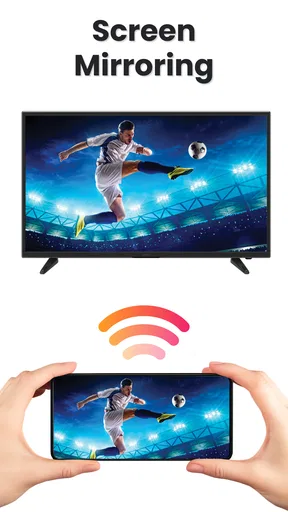
Mirroring deserves a separate expectation check. It is useful when I want to show something from my phone on a larger screen, but it is not the same task as controlling TV menus. I would try it with a non-sensitive item first, such as a photo I am comfortable displaying, and see how the connection behaves in my home. For private notifications, messages, or account screens, I’d avoid mirroring until I knew exactly what might appear on the television.
Everyday situations where a phone remote helps
The clearest use case is a missing remote: I can pick up my phone rather than pause a film to search between cushions. It can also help when someone else has the physical remote, or when I want to control the TV from the sofa and my phone is already in hand. Those are modest conveniences, but they are the kind that make a backup remote worthwhile.
Screen mirroring is more situational. I might use it to show a family photo or a short clip to people gathered around the TV, then return to normal viewing. I would be more cautious about using it for a work document or anything with personal notifications visible. A good routine is to check what is on the phone screen before starting, close unrelated apps, and stop mirroring when the sharing moment is over.
The app is most appealing if you already use a Fire TV, want a phone-based backup, and are comfortable connecting both devices through your home network. It is less suitable if you need a remote that works without Wi-Fi, want a guaranteed physical-button experience, or are not comfortable granting the permissions that appear during setup. In those cases, the original remote or the TV platform’s own control option may be a better fit.
How it compares with familiar alternatives
A physical remote remains the straightforward choice for frequent viewing: it is ready to grab, does not depend on a phone battery, and keeps TV controls separate from phone notifications. A phone remote has the opposite strengths. It can be convenient when the physical remote is misplaced, and it combines control with the possibility of sharing the phone screen. That convenience depends on network discovery and on having the phone nearby and usable.
Compared with a general-purpose remote app, this one is specifically positioned around Fire TV control and mirroring. That focus can make it a sensible option for a household centered on that device, but it does not make it a universal answer for every television. Before installing, I would check that the TV I plan to use is compatible and that I am downloading the intended app. The name is descriptive enough to be easy to confuse with other remote utilities.
What the rating and purchase model suggest
The app has a 3.6 average from around 44 ratings, with 10,000+ installs. I see that as a reason to approach it with realistic expectations rather than a guarantee that it will work identically in every home. Network layouts, TV models, and phone settings can all shape the experience of a Wi-Fi remote, so I would test the basic connection before making it part of my routine.
It is free to install, with in-app purchases listed from $2.99 to $19.99 per item. I would look carefully at any purchase screen before confirming anything and decide whether the free experience already meets my needs. The app is rated for Everyone, released on November 16, 2025, and its current version is 1.9; it supports Android 7.0 and later. Those details help with the download decision, but they do not tell me what a paid item includes, so I would not buy one without checking its description in the app.
Setting Up and Getting Started
The first thing you'll notice when you download Fire Remote TV Control is how straightforward the setup is. You simply need to ensure your smartphone and Fire TV device are connected to the same Wi-Fi network. Once that's sorted, the app instantly recognizes your device – no fuss, no muss.
Installing the app felt like a breeze. I was up and running in no time, which is fabulous because who wants to deal with complicated setups? Not me!
User Interface: Smooth Sailing
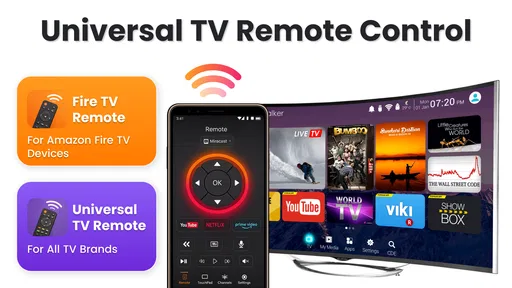
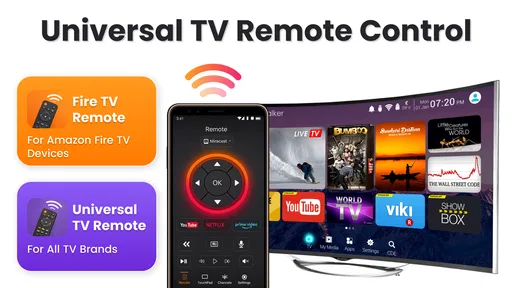
The user interface is sleek and intuitive. You have all the essential buttons right at your fingertips: power, volume, and navigation. It’s almost like having a traditional remote on your phone, but cooler. The layout is simple, without any unnecessary clutter, making it super easy to navigate even if you’re not a tech wizard.
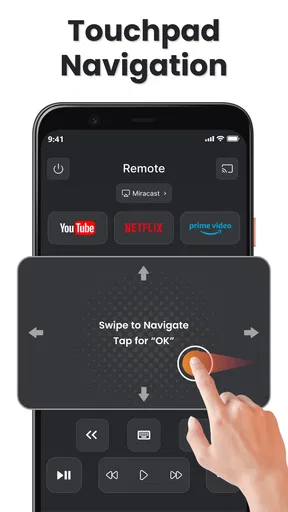
One thing I really appreciated was the responsive touchpad. It allows for smooth scrolling and precise navigation, which is a godsend when you're browsing through endless titles on streaming platforms.
Key Features: More Than Just a Remote
Aside from functioning as a basic remote, the app offers some neat additional features. You can use voice controls to search for your favorite shows or movies. Just tap the microphone icon, speak your command, and voilà! It’s like having a mini Alexa in your pocket.
The app also supports keyboard input, which is a massive relief when entering passwords or searching for specific content. No more tedious on-screen typing with a remote!
Performance: Does It Deliver?
During my testing, the app performed admirably. The connection between the app and the TV was stable, which meant no annoying disconnects. Each command was executed almost instantaneously, making it feel like a natural extension of the TV itself.
Battery consumption was surprisingly minimal, even with extended use. So, you don’t have to worry about your phone dying on you mid-binge-session.
Compatibility and Accessibility
The app is available for both Android and iOS devices, which is fantastic news for households with a mix of smartphones. As long as you have a compatible Fire TV device, you’re good to go. Plus, the app’s interface is available in multiple languages, making it accessible to a broad audience.
Final Thoughts: Is It Worth It?
So, is the app worth the download? Absolutely! It’s a nifty tool that transforms your smartphone into a versatile remote control. Whether you’re looking to replace a lost remote or just want the convenience of controlling your TV from your phone, this app is a solid choice.
With its easy setup, user-friendly interface, and reliable performance, it’s hard to find a reason not to love it. Give it a try, and you might just find yourself wondering how you ever managed without it!
Verdict
Strengths of Universal TV Remote Control
- Easy setup process for quick access.
- User-friendly interface with clear icons.
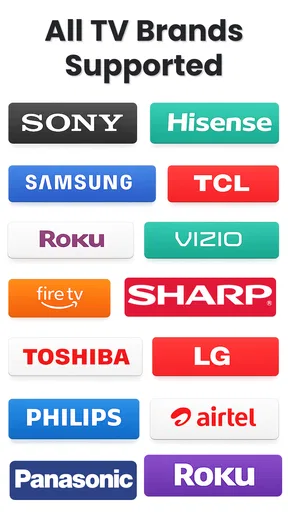
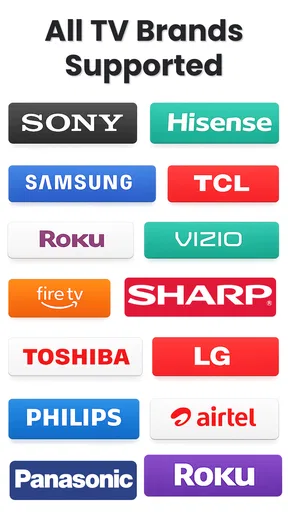
- Supports multiple TV brands seamlessly.
- Responsive controls for smooth navigation.
- Includes a keyboard for easy text input.
Limitations of Universal TV Remote Control
- Limited compatibility with older TV models.
- Requires stable Wi-Fi connection to function.
- Ads can be intrusive during use.
- No voice command integration available.
- Some features require in-app purchases.
Other Releases by Wallet Passes Alliance
View All
WalletPasses | Passbook Wallet
Travel & Local4.5

House Design Plan 3D App
House & Home4.0

Funky Smiles Live Wallpaper
Personalization4.7

Mirror Link
Libraries & Demo3.2
Similar Picks in This Category
View All
Universal TV Remote Control
CodeMatics Media Solutions3.9

AlfredCamera Home Security app
Alfred Systems Inc.4.7

Planner 5D: AI Home Design
Planner 5D4.5

Universal Tv Remote-Cast to TV
One Music Player4.1

Zillow: Homes for Sale & Rent
Zillow Group4.8

99acres Buy/Rent/Sell Property
infoedge.com4.3
Frequently Asked Questions
What is Fire Remote TV Control and how does it work?
Fire Remote TV Control is an app designed to turn your smartphone into a remote control for your Fire TV device. By connecting your phone and Fire TV to the same Wi-Fi network, the app allows you to navigate menus, play content, and access various settings. It simplifies the control process and offers additional features like voice search.
Is Fire Remote TV Control compatible with all Fire TV devices?
Fire Remote TV Control is compatible with most Fire TV devices, including Fire TV Stick, Fire TV Cube, and Fire TV Edition smart TVs. However, it's always a good practice to check the app’s compatibility on the download page or the developer’s website to ensure it supports your specific model.
Does Fire Remote TV Control require any special permissions on my phone?
Yes, Fire Remote TV Control may require certain permissions to function optimally, such as access to your Wi-Fi network and microphone for voice control features. These permissions are necessary to establish a connection with your Fire TV and utilize advanced functionalities like voice search.
Are there any costs associated with using Fire Remote TV Control?
Fire Remote TV Control is typically free to download, but it may offer in-app purchases or subscriptions for additional features. These might include ad-free usage, enhanced functionality, or premium support. Always check the app store listing for detailed pricing information before downloading.
How user-friendly is Fire Remote TV Control for beginners?
Fire Remote TV Control is designed to be user-friendly, with an intuitive interface that mimics a traditional remote control layout. New users can easily navigate through its features with minimal learning curve. The app often includes a quick-start guide or tutorial to help first-time users get accustomed to its functionalities.
